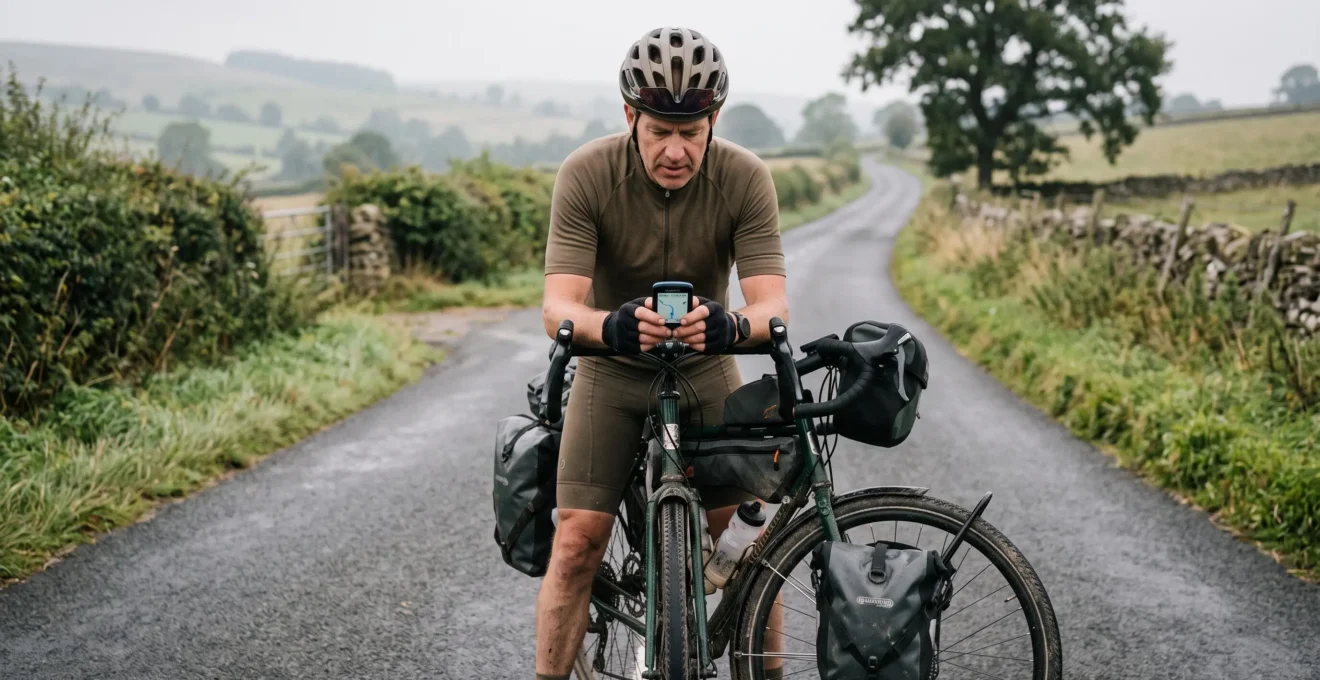
Eight hours into a touring ride, a GPS cycling computer is no longer just a convenient way to see speed and distance. It becomes a navigation system that must remain dependable when the weather deteriorates, battery reserves shrink, and unfamiliar junctions appear after hours of pedalling.
The most important features are not necessarily the largest display, the most detailed performance metrics, or the highest advertised battery figure. They are predictable course navigation, controllable rerouting, usable turn alerts, readable information, and battery endurance under realistic conditions.
A reliable setup also depends on what happens before departure. A carefully reviewed route, an independent backup, and sensible elevation checks can prevent problems that no GPS computer can solve automatically.
For endurance riders and multi-day tourers, the objective is straightforward: keep navigation available when decisions matter, preserve enough battery to finish, and minimise attention diverted from the road.
What matters most on an all-day GPS ride
- Route reliability: prioritise cycling-specific routing, inspect major junctions, and choose how the device responds when you leave the planned course.
- Battery resilience: test runtime with your actual settings, check remaining capacity during the ride, and carry independent charging when needed.
- Low-distraction navigation: use a readable display with minimal fields, appropriate turn alerts, and a backup that survives GPS failure.
- Why Does Your GPS Try to Reroute You Onto a Motorway-Style Road ?
- How to Set Up a GPS Route With Turn Alerts and a Backup Plan in 15 Minutes ?
- Which Should You Choose: Phone Navigation or a GPS Computer for Rainy All-Day Rides ?
- The Screen-Checking Habit That Causes Most Solo-Ride Near-Misses
- When Should You Use Battery Saver Mode to Make a GPS Last 10 Hours ?
- How to Build a Day-by-Day Route Plan With Elevation Checks in 20 Minutes ?
- How to Spot the Hardest 10 Minutes of a Route From the Elevation Profile Alone ?
- How to Plan a 7-Day Long-Distance Cycling Route With 80 km Days Without Route Surprises
Why Does Your GPS Try to Reroute You Onto a Motorway-Style Road ?
A GPS cycling computer may suggest an unsuitable major road because its routing engine prioritises a different path from the one you intended. Road classification, map coverage, routing preferences, and recalculation settings all influence the result. A missed turn can also trigger a new route that abandons quieter roads. Never assume an automatically calculated detour is cycling-safe or legally accessible.
Routing engines work from mapped connections and preferences. A cycling profile may favour dedicated paths and suitable cycling infrastructure, while a driving profile can prioritise road connections and shorter distances. Missing paths, incorrect access information, and poorly constrained imported routes introduce further uncertainty.
The official Ride with GPS route-planning documentation explains how cycling and driving modes differ, how control points constrain routes, and how turn-by-turn cue sheets are generated.
Before departure, compare the map against the turn list. Look especially at intersections with major roads, river crossings, bridges, and sections where a cycle path runs alongside a road. Where the generated line leaves your preferred corridor, adjust the route using control or via points and inspect the revised directions.
There is an important distinction between recovering from a missed turn and correcting a defective planned route. If the original line remains sensible and the device only proposes a shortcut back after you deviate, recalculation is the likely trigger. If an unsuitable section already appears in the imported route, the problem requires route editing rather than simply changing recalculation behaviour.
For a practical field check, stop safely, compare your current position with the original course, and inspect the proposed replacement. Do not test an uncertain route by riding onto a prohibited or hazardous road.
On compatible Garmin Edge devices, course recalculation settings can allow riders to require confirmation before rerouting or suspend guidance until they rejoin the course. Garmin distinguishes this from recalculation during destination-based navigation. The available options vary by model, as described in Garmin‘s explanation of Edge course recalculation.
During a long touring day, an unsuitable detour affects more than the route distance. Additional climbing or delays may reduce daylight, consume navigation battery, and place the rider farther from planned food, water, or accommodation stops.
The safest approach is to treat recalculation as a suggestion requiring judgement, not as authority to abandon the route you already reviewed.
How to Set Up a GPS Route With Turn Alerts and a Backup Plan in 15 Minutes ?
A familiar GPS computer can often be prepared for a long ride in approximately 15 minutes by importing the route, checking critical junctions, configuring useful turn alerts, and creating an independent backup. The timing is a planning target, not a guaranteed setup duration. First-time users should allow longer to learn the interface and verify that alerts actually work.
Begin with a reviewed GPX file. Import it through the supported companion app, wireless transfer, or computer connection, then open the route on the cycling computer. Confirm the start location, destination, and intended course are present.
Next, inspect the navigation prompts. Prioritise advance warnings for complicated turns, junctions with major roads, and places where a missed turn could result in a significant detour. Where supported, reduce unnecessary beeps or informational notifications on straightforward sections. Some devices do not permit individual turn alerts to be suppressed, so the exact setup depends on the model.
A practical setup-time allocation for someone already comfortable with the device is:
- Minutes 0–4: transfer the route and confirm it opens correctly.
- Minutes 4–8: inspect important turns and route-recalculation preferences.
- Minutes 8–11: verify the main navigation display and alert settings.
- Minutes 11–15: prepare the independent backup and perform a final battery check.
This sequence assumes the route itself has already been planned and reviewed. Building a new route, correcting map errors, or learning an unfamiliar device may take substantially longer.
Build the backup in separate layers. The cycling computer carries the primary route. A printed cue sheet or route information saved on another device provides secondary guidance. A charged phone can offer offline maps and emergency communication, while location sharing with a trusted contact may add reassurance where mobile coverage is available.
A backup stored only on the GPS computer is not an independent backup. If that device fails, every file stored exclusively on it becomes inaccessible.
Five checks before leaving home
- Import the planned GPX and verify that the complete route appears on the computer; deliverable: a route ready to select.
- Inspect the most consequential junctions; deliverable: a short list of turns requiring special attention.
- Set available turn alerts and recalculation preferences; deliverable: a confirmed navigation configuration.
- Save an offline route on a separate phone or print essential directions; deliverable: a usable secondary navigation source.
- Check device charge, phone charge, and access to emergency contacts; deliverable: a departure-ready battery and contact check.
Once the route and backup are secure, the remaining choice is which device should handle navigation during prolonged rain and changing weather.
Which Should You Choose: Phone Navigation or a GPS Computer for Rainy All-Day Rides ?
For many riders facing eight or more hours of rain, a dedicated GPS cycling computer is the more practical primary navigation device, provided its controls, waterproof rating, and battery performance suit the conditions. A smartphone remains useful for detailed map inspection and communication. The strongest all-day arrangement is often a cycling computer for riding and a protected phone for backup.
The main difference is not simply GPS accuracy. It is how easily the navigation system can be operated without exposing essential communication equipment to unnecessary battery drain or weather.
| Criterion | Smartphone navigation | Dedicated GPS computer |
|---|---|---|
| Rain and glove usability | Touch controls may become unreliable with wet fingers; performance varies by device and case. | Models with physical buttons may be easier to operate in rain; touchscreen performance varies. |
| Battery management | Navigation shares battery capacity with calls, photos, messaging, and other apps. | Dedicated navigation battery, with runtime affected by maps, display, sensors, and settings. |
| Mounting | Requires a secure compatible mount and suitable environmental protection. | Designed for bicycle mounting, although mount security still requires checking. |
| Information visibility | Large, detailed maps may be convenient but can encourage additional interaction. | Customisable riding pages can keep essential navigation information visible. |
| Emergency reserve | Continuous navigation may reduce the battery available for communication. | Allows the phone to remain protected and charged separately. |
Water resistance requires careful interpretation. A rated device may tolerate specified exposure conditions, but that rating does not guarantee reliable touch operation or eliminate problems involving wet connectors and mounting hardware. A protective phone case can reduce exposure, yet condensation and touchscreen behaviour remain practical considerations.
The hybrid strategy is particularly attractive on remote or unfamiliar routes. Keep the GPS computer active for navigation and riding information. Store offline maps on the phone, protect it from rain, and avoid unnecessary screen use. A phone left switched off can conserve power, although that prevents live location sharing until it is turned on again.
For occasional shorter rides, using only a well-mounted phone may be adequate. The advantage of a dedicated computer becomes more compelling when weather, duration, and dependence on the phone for emergencies overlap.
Whichever device handles navigation, its greatest safety advantage comes from reducing how often the rider needs to study the screen.
The Screen-Checking Habit That Causes Most Solo-Ride Near-Misses
Repeatedly looking down at a GPS screen without a specific navigation decision is a preventable distraction. Each glance shifts attention away from road conditions, and frequent checks can become habitual during unfamiliar rides. The available sources do not establish that this is the leading cause of solo-cyclist near-misses, but they support minimising screen-related distraction.
A touring computer may display speed, cadence, heart rate, gradient, elapsed time, estimated arrival, distance, and a detailed map simultaneously. Most of that information is unnecessary when approaching an unfamiliar intersection.
For the primary navigation page, begin with just three decision-relevant fields:
- Next navigation instruction or turn direction.
- Distance remaining to the next important turn.
- Remaining distance to the day’s destination.
This is a practical display-design recommendation, not a scientifically validated ideal number of fields. Riders who need additional information for a particular route can place it on a secondary page.
The UK’s Highway Code guidance on road-user distraction identifies maps and satellite-navigation screens as potential distractions. Its concentration guidance applies to cyclists and other road users, although the legal framework is specific to the United Kingdom.
A useful habit is to connect screen checks to actual decisions. An advance audible alert can signal an upcoming junction, while the display supplies confirmation when conditions permit. If a turn is confusing, stop in a safe location and inspect the map properly.
Slowing down does not remove the risk of looking away. Road surface changes, crossing traffic, pedestrians, and obstacles still require attention. Even on a straight section with good visibility, the rider should prioritise the road and stop when detailed inspection is necessary.
Solo riders have no companion beside them to provide an additional warning. That makes a low-interaction navigation configuration especially useful, without implying that riding with others eliminates distraction risk.
A less demanding screen also creates opportunities to reduce backlight and unnecessary alerts, which leads directly to managing battery endurance.
When Should You Use Battery Saver Mode to Make a GPS Last 10 Hours ?
Activate battery saver mode when your measured battery consumption suggests the device may not last for the remaining ride with a suitable reserve. Ten hours is not a universal runtime guarantee, and power-saving features differ between models. The most dependable approach is to test your normal configuration, monitor battery percentage during the ride, and change settings before the remaining capacity becomes critical.
Battery saver modes may reduce backlight use, alter display behaviour, limit certain connected features, or change recording-related settings. Some devices maintain navigation guidance while reducing other functions; others introduce trade-offs that riders should test before departure.
The manufacturer’s published maximum runtime may assume limited use of battery-intensive features. Garmin’s official guidance identifies GPS recording, backlighting, navigation, smartphone connections, and selected activity features as factors affecting Edge battery endurance. Its Edge battery-life recommendations also describe possible savings from shorter backlight timeouts and disabling unused connections.
Battery behaviour depends on device model, battery age, environmental conditions, and enabled features. Cold temperatures can further complicate battery planning. Rather than relying solely on an advertised figure, complete a shorter trial ride with the same display settings, navigation mode, sensors, and connectivity you intend to use on tour.
Record the starting and finishing battery percentages and elapsed riding time. This gives a rough consumption rate for that configuration, not a guaranteed prediction across all conditions.
For a hypothetical planning example, suppose a rider begins a 10 hours day fully charged and reaches the midpoint with 40% battery remaining. If consumption stays similar, the remaining capacity may not cover the remaining riding time. This is a signal to reduce unnecessary features or arrange charging, not a precise prediction of when the device will shut down.
A sensible decision framework is to set a personal battery reserve before departure, check the battery at a planned midpoint stop, and compare the remaining capacity with the expected riding time rather than distance alone. Headwinds and climbing can make the second half considerably slower.
Additional power options offer different compromises:
| Option | Practical advantage | Main limitation |
|---|---|---|
| Power bank | Portable charging without changing the bicycle’s wheel system. | Finite capacity; cables and ports need appropriate weather protection. |
| Dynamo hub | Potential charging source while riding when paired with compatible electronics. | Installation cost, speed-dependent output, and charging-system compatibility. |
| Solar panel | Supplementary charging opportunity during suitable daylight conditions. | Variable output with weather, orientation, available surface area, and exposure. |
For shorter tours with predictable accommodation charging, a compact power bank may be sufficient. Dynamo systems become more relevant on extended trips, while solar charging requires realistic expectations about available sunlight.
Battery planning becomes more accurate when the day’s route and climbing demands are already understood.
How to Build a Day-by-Day Route Plan With Elevation Checks in 20 Minutes ?
A practical day-by-day cycling route plan starts with a distance target, then checks the actual route and elevation profile before accepting that target. A 20-minute review can be useful for an already mapped stage, but it is not enough to guarantee accurate roads or terrain. The important result is a route whose climbing, surfaces, stops, and navigational risks have been inspected together.
Begin by selecting a realistic daily distance based on previous riding experience. Trace the route using a cycling-appropriate routing profile, then inspect the entire elevation profile rather than relying solely on cumulative ascent.
An example 20-minute review can be organised as follows:
- First 4 minutes: confirm the day’s start, finish, distance, and main road corridor.
- Next 6 minutes: inspect the elevation profile, identifying long climbs and concentrated steep sections.
- Next 5 minutes: examine planned stops relative to demanding terrain and possible water needs.
- Final 5 minutes: check unusual route segments, surface information, and the need for further verification.
These time allocations are workflow suggestions. Complex mountain stages, uncertain trail access, or poor mapping information can require a much longer review.
Total ascent can change a day’s difficulty substantially even when distance remains unchanged. Compare proposed stages against rides you have actually completed with similar terrain, equipment, and luggage. Avoid treating one elevation figure as a universal measure of difficulty.
Place breaks strategically. A substantial climb near the beginning may justify a stop after the summit, while a difficult late climb may require an earlier food and water stop. Verify that the intended services exist and are available on the relevant day.
Elevation profiles also depend on the mapped route and the underlying elevation data. If the line follows the wrong road, misses a cycle path, or misrepresents a gravel connection, the calculated climbing may not reflect the actual ride. Check flagged sections against mapping and surface information before treating the profile as reliable.
Once the overall stage is realistic, the next useful check is identifying the short section most likely to challenge the rider.
How to Spot the Hardest 10 Minutes of a Route From the Elevation Profile Alone ?
An elevation profile can help identify a potentially difficult ten-minute section by showing where gradients become steep, sustained, or concentrated late in the ride. It cannot reliably identify the actual hardest ten minutes by itself because riding speed, surface, wind, fatigue, and gearing also affect effort. Treat the profile as a way to flag demanding sections for further investigation.
Start by looking at the horizontal distance and vertical ascent of each noticeable climb. A short, steep rise may demand intense effort, while a longer gradual climb can create sustained fatigue. The steepness of the profile matters, but its scale must also be understood: compressed horizontal axes can make modest gradients look dramatic.
Next, examine where the climbing occurs. A demanding section early in the day may be manageable with fresh legs. The same climb near the end of a loaded touring stage can feel substantially harder, especially after repeated rolling terrain.
Do not confuse the highest point with the most difficult section. A route’s summit may follow an easy final approach, while the steepest segment could occur well before it.
Once a likely critical climb has been identified, mark it in the route-planning tool as a waypoint or point of interest where supported. Give it a descriptive label, such as a climb warning, then verify that the marker remains visible after transferring the route to the GPS computer.
That preparation supports three possible decisions: accept the climb and plan an appropriate rest, move the hardest section to a different part of the day by changing the route, or split the stage if the overall effort appears excessive.
Finally, check the flagged section against surface and weather information. Loose gravel can increase effort and reduce traction, while headwinds on exposed roads can turn an apparently modest ascent into a demanding passage. Neither factor is represented adequately by elevation alone.
Understanding each day’s difficult moments is particularly valuable when a single long ride becomes a week of consecutive stages.
Key takeaways for multi-day touring
- Validate every stage separately; a consistent distance target does not produce consistent daily effort.
- Identify difficult climbs and restricted rerouting sections before making fixed travel commitments.
- Repeat the same navigation, backup, and charging routine each day to prevent avoidable setup errors.
How to Plan a 7-Day Long-Distance Cycling Route With 80 km Days Without Route Surprises
Planning seven consecutive 80 km cycling days starts with treating 80 km as an initial target, not a requirement. Build and review each stage individually, accounting for cumulative elevation, road surface, available services, and fatigue. Then prepare consistent GPS navigation and independent backups for the whole trip. A flexible schedule is more reliable than forcing every day to meet an identical distance.
Begin by mapping the first proposed day and comparing it with a recent ride you completed comfortably under similar conditions. If the elevation, luggage, or surface makes the stage significantly harder, adjust the distance before copying the target across the rest of the week.
Review all seven routes for difficult climbs, potentially unsuitable roads, river crossings, and areas where detours are limited. A route through remote terrain may need more conservative planning than a stage passing frequent towns and transport connections.
The planning sequence should remain consistent:
- Set the initial daily distance and identify possible overnight destinations.
- Build a cycle-appropriate route for each day.
- Check the complete elevation profile and identify the most demanding sections.
- Review food, water, accommodation, and possible transport alternatives.
- Inspect important turns and locations where automatic rerouting may be problematic.
- Transfer the reviewed routes to the GPS computer and create separate backups.
- Establish a daily charging and route-verification routine.
Some of the most consequential surprises emerge across days rather than within a single stage. Fatigue can accumulate, making a later 80 km ride feel harder than the first. A shop that appears on the map may be closed on the day you pass, and an apparently minor route interruption can become serious if the nearest practical detour is lengthy.
A spare or flexible day offers a structural safeguard against delays. It need not be a scheduled rest day, but the itinerary should allow the rider to shorten a stage, recover, or change accommodation without putting the entire trip at risk.
At the end of each day, repeat the same checks: recharge the GPS and backup phone, confirm the next GPX route is available, inspect the following day’s weather and services, and review the hardest sections before departure. Store the route and emergency information in a consistent format so that a navigation failure does not require improvising a new system.
For a seven-day trip, navigation reliability comes from combining route preparation with equipment management. A capable GPS computer cannot compensate for an unreviewed itinerary, while an excellent route plan still needs enough battery and clear guidance to be useful on the road.
Choose one planned stage as a rehearsal: verify its terrain, ride a shorter comparable route with the intended GPS settings, record battery behaviour, and use the results to refine the full itinerary before departure.
Can a GPS cycling computer navigate without mobile phone coverage?
Some GPS cycling computers can follow previously transferred routes and use onboard map data without a mobile connection. The exact capability depends on the model, installed maps, and route format. Features requiring internet access, including certain live services, may be unavailable offline. Check the device specifications and test the stored route before riding beyond mobile coverage.
Does importing a GPX file guarantee turn-by-turn directions?
No. Importing a route and generating navigation instructions are separate capabilities. Some computers calculate turns using their own maps, while other combinations of devices and file formats may offer different guidance. Confirm that the computer displays the expected turns before departure rather than assuming every GPX import includes complete instructions.
Should a GPS computer remain connected to a phone throughout an all-day ride?
Not necessarily. A connection may be useful for live tracking, notifications, or other supported features, but it can affect battery consumption. If the route works independently and those connected features are unnecessary, disabling them may help conserve power. Riders relying on live location sharing should keep the required connections enabled and confirm coverage limitations.
Can a power bank charge a GPS cycling computer while riding in rain?
Charging while riding depends on the device’s supported charging behaviour, connector design, and environmental protection. A device’s general water-resistance rating should not be assumed to cover an exposed charging port during rainfall. Consult the manufacturer’s guidance and use a charging arrangement designed for the expected conditions.
Is a larger GPS screen always better for bike touring?
No. Screen readability depends on contrast, layout, lighting, viewing angle, and the information displayed, not size alone. A larger screen may improve map visibility but can introduce mounting, weight, or power-consumption trade-offs. For all-day touring, prioritise a display you can interpret with minimal attention while preserving adequate battery life.